

Follow us:
SPECIALTY CHANNELS
- County Tax Sales
- Sheriff's Sales/Foreclosures
- Philadelphia Sheriff Sales
- Federal, State & Local Government
- Bank-Owned Property
- $1 No Reserve Auctions
CATEGORIES
HELP

How to Participate in County Tax Sales
| The following are necessary steps to participate in the Tax Certificate Sale: |
Register for the Online County Tax Certificate Sale |
| Interested bidders are urged to examine the title, location and desirability of the properties available to their own satisfaction prior to the sale. A complete list of properties available for auction will be posted for viewing and downloading three to four weeks prior to the auction date. Where? When you find an item your interested in bidding on, make sure you read the entire listing description and any additional information included in the "Additional Details" tab. After reviewing the information included in the auction listing, if you have additional questions you are encouraged to contact the Tax-Collectors Office of the County in which the property you are interested in is located. This information can be found in the center of the County specific storefronts. |
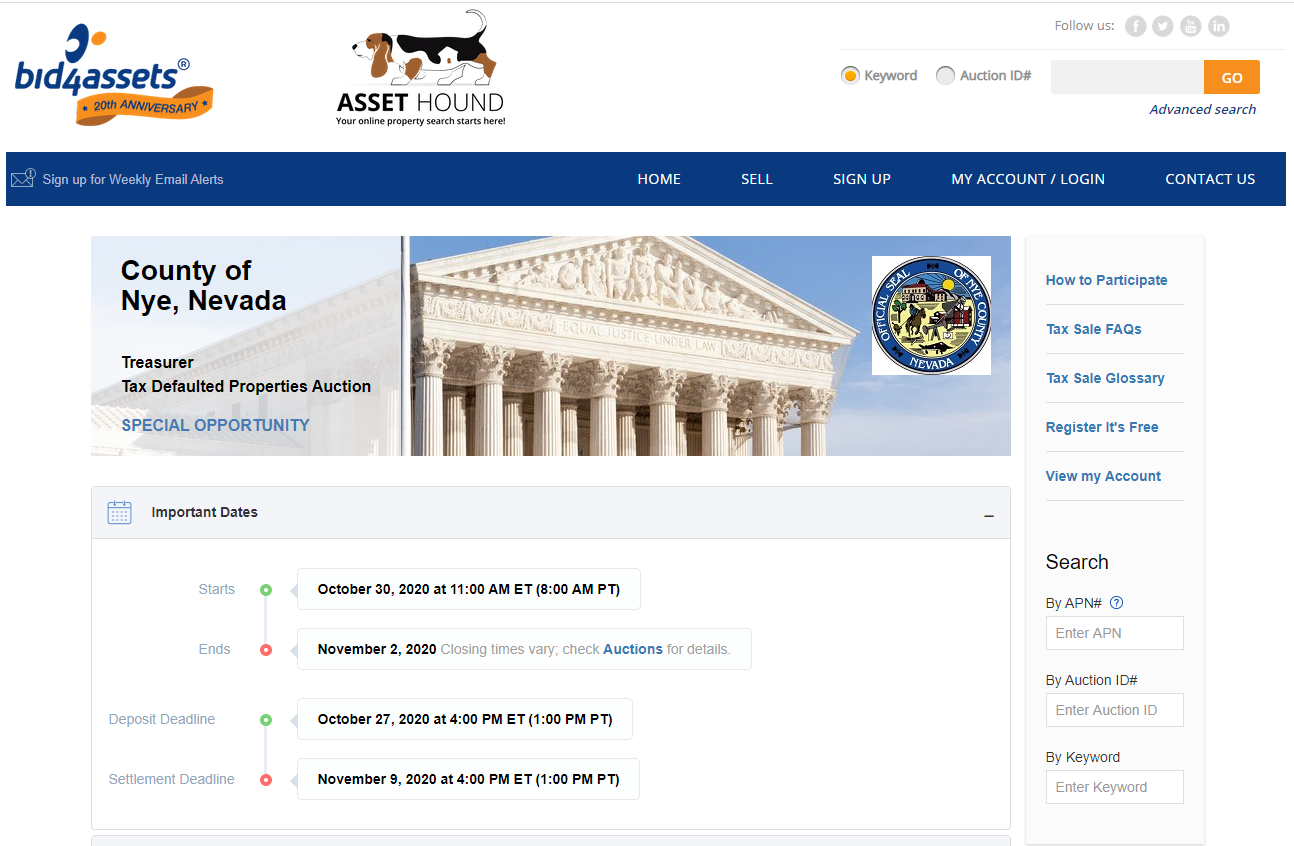 |
| For questions regarding the auction and the bidding process, please contact [email protected] It's important to remember that Bids are binding contracts; if you are the winning bidder, you are legally obligated to purchase the item. Make sure you have done all necessary research before moving forward with your bid. |
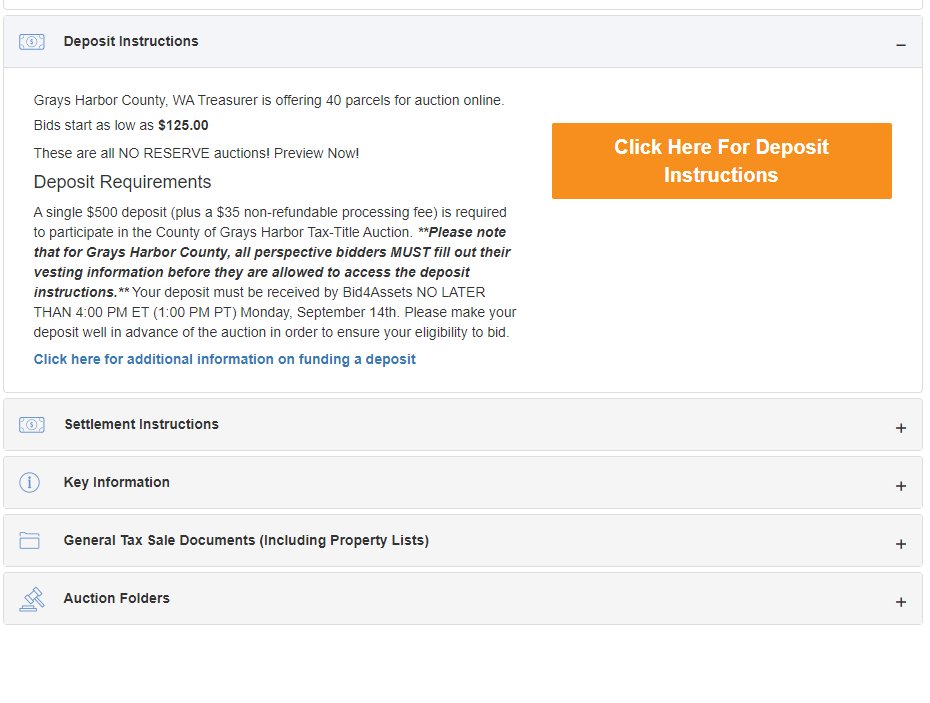
| The acceptable forms of deposit method vary by County. County Specific deposit instructions are located under the General Tax Sale Information tab in the "County Terms of Sale" document |
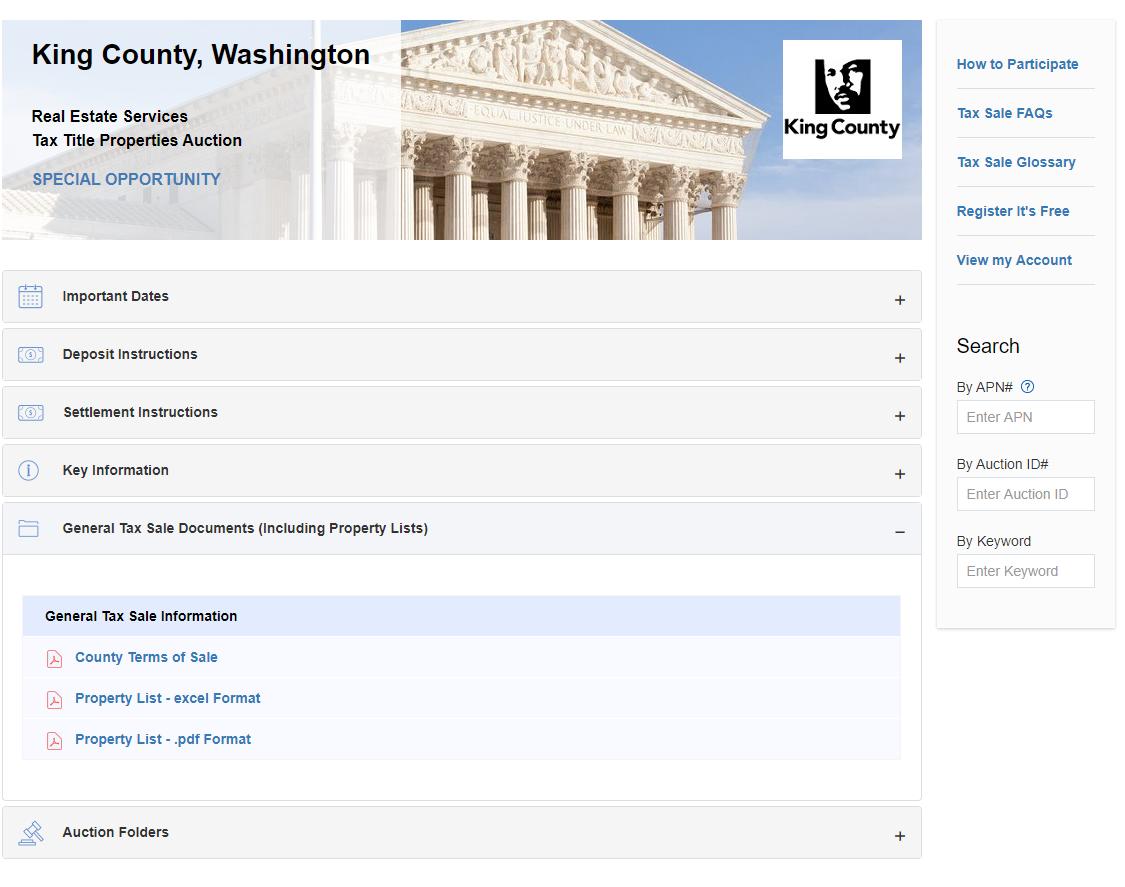 |
| For additional information on placing a deposit, Click here for a step-by-step guide on how to place a BidDeposit; |
| Bidding Auto Bid is a maximum bid which is held in confidence by the system. Bid4Assets will use only as much of the maximum bid as is necessary to maintain the bidder's high bid position or to meet the reserve. [Please Note: In Reserve Price Auctions, if your maximum bid is the first to meet or exceed the seller's reserve price, the system will automatically move your bid up to meet the reserve, and bidding will continue from there.] |
| When you are ready to place a bid, choose a bid type, enter your bid amount in the Bid Amount box and click on the Bid on this item button. You will be prompted to login (or register, if you haven't already). Once you've submitted your bid, we will send you a bid confirmation notice via email and place a similar notice in your My Messages in-box located within My Account. |
| A more comprehensive, step-by-step guide to bidding is available by clicking here. |
| Monitor Your Auction Monitoring your auction is very easy with Bid4Assets' auction management center, My Account. You will also receive county auction updates in your My Messages center also located in the My Account section of the site. Please note: Include information on counties withdrawing properties. |